Nutanix Xi Leap port diagram
What is Nutanix Xi Leap Xi Leap is a Disaster Recovery as a Service offered by Nutanix. It is available in the United States (two regions),...

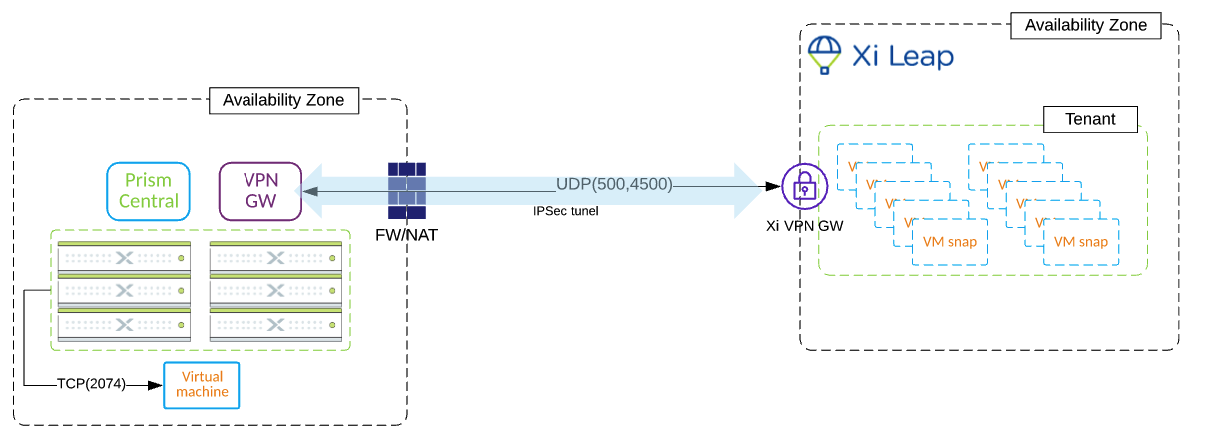
What is Nutanix Xi Leap Xi Leap is a Disaster Recovery as a Service offered by Nutanix. It is available in the United States (two regions),...
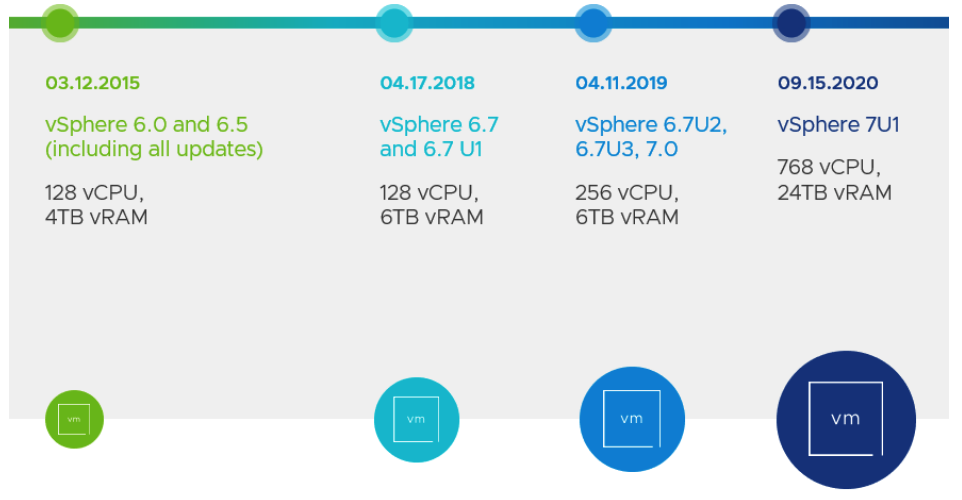
A few weeks back VMware released vSphere 7 U1. There are several enhancements in the product including Tanzu Kubernetes. With Tanzu Kubernetes you can now bring...
VMware vSphere 7 support on Nutanix platform Starting with AOS 5.15.2 (LTS) and AOS 5.17.1, Nutanix introduced VMware vSphere 7 support. Now, you can upgrade your...
Thousands of Nutanix customers have clusters deployed with VMware vSphere. VMware vSphere was the first hypervisor supported by Nutanix and has a long and successful history....
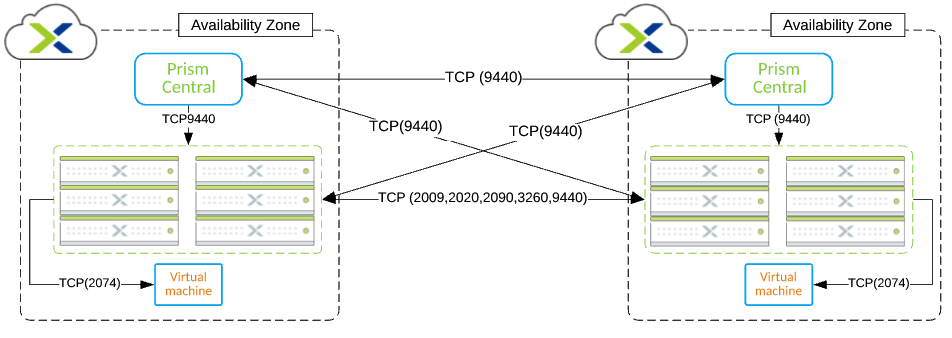
In this blog post, you will find the Nutanix Leap Asynchronous replication port diagram. Support for Asynchronous replication in Nutanix Leap was introduced with Nutanix AOS...
Looking to brush up VMware skills or pre for VMware exams? Look no more. VMware Learning Zone, the Premium subscription is free to everyone for the...

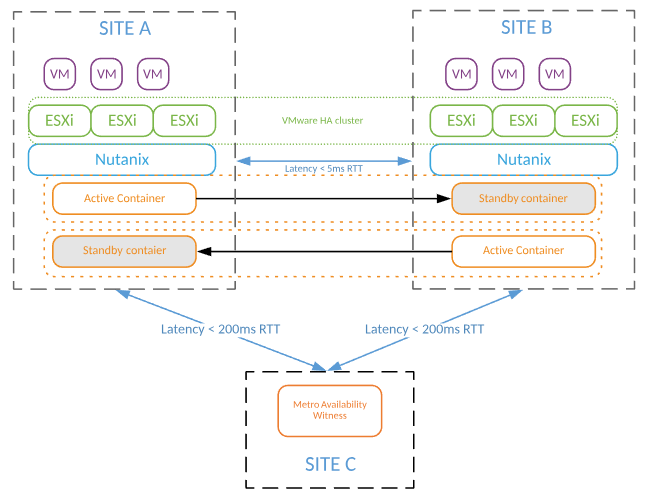
Nutanix provides several ways to protect workloads running on its platform. Depends on the business requirements customer can choose between a variety of the available options....
This post is about one of the most challenging PowerCLI scripts I was asked to write so far. Unfortunately I will not present the script itself,...
Everybody has one. Good ol’ “VM inventory report” The moment your infrastructure outgrows kindergarten size of ~50 VMs, you either start exporting list of VMs from...
